
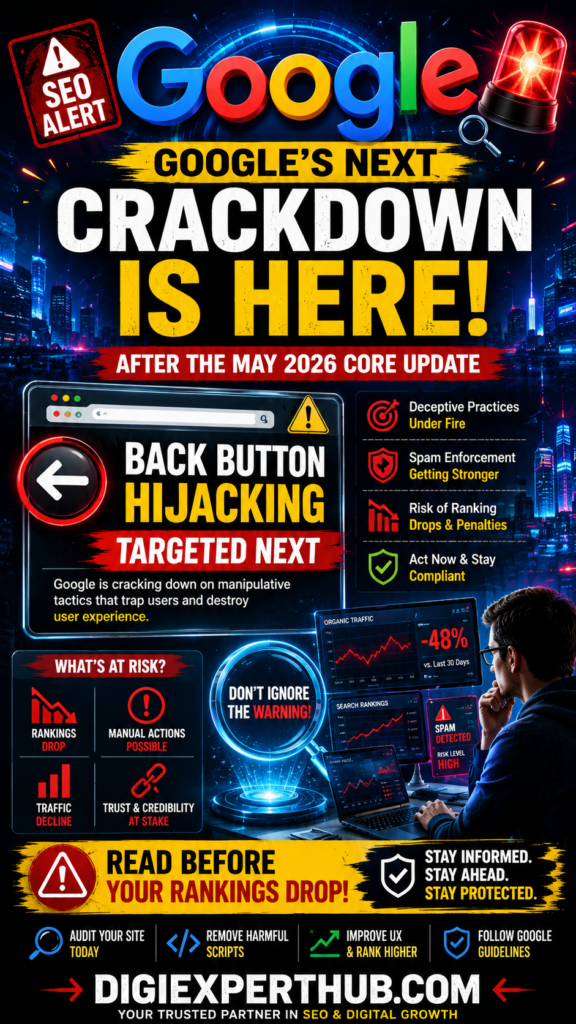
Google May 2026 Core Update: Tackling ‘Back Button Hijacking Google May 2026 Core Update: The rollout of its May 2026 Core Update, and the SEO community is already turning its attention to Google’s next major focus: Back Button Hijacking. For website owners, digital marketers, bloggers, and SEO professionals, this is not a warning to ignore.
As Google’s May 2026 Core Update rolls out, owners must instantly shift their focus to cleaning up user experience and compliance metrics. Google May 2026 Core Update: Tackling ‘Back Button Hijacking
At Digi Experts Hub, we keep a really close eye on how Google’s goalposts shift, and honestly? The message from this latest update couldn’t be clearer: user experience is everything. If your site is still relying on those ‘tricky’ tactics—like aggressive ad placements, sneaky redirects, or scripts that just get in the user’s way—now is the moment to pause and audit. You don’t want to wait until Google’s enforcement catches up to you; taking a proactive look at your site today is the best way to keep your rankings safe and your visitors happy.
Google Officially Completes the May 2026 Core Update
The May 2026 Core Update generated significant ranking fluctuations across multiple industries. Many websites experienced major gains, while others saw noticeable traffic declines. Google May 2026 Core Update Google May 2026 Core Update: Tackling ‘Back Button Hijacking
Like all core updates, Google is sticking to their core mission: rewarding the sites that actually care about their users by providing content that is helpful, trustworthy, and genuinely valuable. If your site leans into building real expertise and prioritizes the reader’s experience, you’re going to see the benefits of the May 2026 Core Update in the long run. It’s a simple reminder that the websites that succeed aren’t just ‘gaming the system’—they’re the ones that put the user first.
For many businesses following SEO best practices, the update brought positive results. However, websites relying on shortcuts or poor user experiences faced increased challenges. Google May 2026 Core Update
Key Takeaways From the May 2026 Core Update
- Content quality remains Google’s top priority.
- User experience signals continue to gain importance.
- Helpful and original content outperformed thin content.
- Trustworthiness and authority played a major role.
- Technical SEO remains essential for long-term rankings.
According to the SEO analysis team at Digi Experts Hub, websites focusing on user satisfaction rather than search engine manipulation continue to see the strongest long-term results. Google May 2026 Core Update
What Is Back Button Hijacking?
Back Button Hijacking is a deceptive practice that interferes with a user’s browser navigation. Instead of allowing visitors to return to the previous page when clicking the browser’s back button, the website forces users into redirects, unwanted pages, advertisements, or other manipulative experiences. Google May 2026 Core Update
In simple terms, users become trapped within a website ecosystem without their consent.
Common Examples of Back Button Hijacking
- Redirecting users to unrelated landing pages.
- Showing aggressive pop-ups when users try to leave.
- Triggering fake warning messages.
- Loading deceptive advertising pages.
- Manipulating browser history using JavaScript.
Google considers these behaviors harmful because they create a frustrating experience and reduce trust in search results. Google May 2026 Core Update
Why Google Is Targeting Back Button Hijacking
Google’s mission has always been to provide users with the best possible experience. When websites use manipulative techniques that interfere with navigation, users lose confidence in both the website and search results. Google Ends May 2026 Core Update—Now Website
Google’s Focus on User Experience
Over the past several years, Google has increased enforcement against:
- Intrusive interstitials
- Spammy redirects
- Scaled content abuse
- Deceptive advertising
- Misleading user interfaces
Back Button Hijacking falls directly into this category. Google Ends May 2026 Core Update—Now Website
At Digi Experts Hub, we believe this crackdown is part of Google’s broader effort to eliminate manipulative practices and improve overall web quality.
Which Websites Are Most at Risk?
Not every website faces the same level of risk. However, certain categories should pay particular attention.
Affiliate Marketing Websites
Some affiliate sites use aggressive advertising scripts that may unintentionally trigger browser manipulation.
Lead Generation Websites
Sites focused heavily on conversions sometimes implement scripts that prevent users from leaving.
Download and Software Websites
These websites frequently use redirect mechanisms that can create user experience concerns.
Ad-Heavy Websites
Aggressive monetization strategies may increase the likelihood of navigation-related issues.
If you operate any of these website types, Digi Experts Hub recommends conducting a comprehensive technical audit immediately.
How to Check Your Website for Back Button Hijacking
Fortunately, identifying these issues is relatively straightforward.
Step 1: Test Browser Navigation
Visit your website and navigate through several pages. Use the browser’s back button and observe whether the behavior feels normal.
Step 2: Review JavaScript Implementations
Check custom scripts that manipulate browser history using:-
- history.pushState()
- history.replaceState()
- Custom redirect functions
Step 3: Audit Third-Party Plugins
Sometimes the problem originates from advertising networks, pop-up tools, or third-party plugins rather than your own code.
Step 4: Monitor User Feedback
User complaints about navigation problems are often early warning signs.
How to Fix the Back Button Hijacking Issues
If problems are discovered, immediate action is recommended.
Remove Deceptive Redirects
Eliminate unnecessary redirects that trigger when users attempt to leave a page.
Update Outdated Plugins
Many older plugins may contain problematic scripts that affect browser navigation.
Simplify User Experience
Focus on creating a smooth browsing journey rather than forcing engagement.
Conduct Mobile Testing
Many navigation issues appear differently on mobile devices, making cross-device testing essential.
Improve Technical SEO
A clean website architecture helps ensure proper navigation and reduces potential compliance issues.
At Digi Experts Hub, we recommend conducting regular technical audits to stay ahead of future Google updates.
What Could Happen After Google’s Spam Enforcement?
While Google rarely provides exact details regarding penalties, websites that ignore user experience guidelines could face:
- Ranking declines
- Reduced organic traffic
- Manual actions
- Lower user engagement
- Loss of trust signals
The best strategy is prevention rather than recovery.
The Future of SEO in 2026
The May 2026 Core Update reinforces a trend that has been developing for years. Google’s algorithms increasingly reward websites that prioritize users over manipulation.
Successful websites will focus on:
Helpful Content
Create content that genuinely solves problems.
Strong User Experience
Make navigation simple and intuitive.
Technical Excellence
Maintain clean code and proper site structure.
Trust and Authority
Build credibility within your industry.
For businesses looking to stay ahead of future updates, Digi Experts Hub recommends investing in long-term SEO strategies rather than short-term ranking tactics.

Final Thoughts
Google’s May 2026 Core Update may be finished, but the conversation is far from over. The search giant’s increasing attention toward back button hijacking signals a clear message: user experience matters more than ever.
Website owners, SEO professionals, and digital marketers should use this opportunity to review their websites, remove potentially problematic scripts, and ensure compliance with Google’s evolving quality standards.
The websites that succeed in 2026 and beyond will be those that prioritize transparency, usability, and genuine value for users. As always, Digi Experts Hub will continue tracking Google’s latest updates and providing actionable insights to help businesses maintain strong search visibility.
(FAQs)
What is back button hijacking?
Back Button Hijacking is a technique that interferes with normal browser navigation and prevents users from returning to previous pages using the back button.
Why is Google targeting back button hijacking?
Google considers it a poor user experience because it traps visitors, creates frustration, and reduces trust in search results.
Can back button hijacking affect SEO rankings?
Yes. Websites using deceptive navigation practices may face ranking declines, spam-related enforcement actions, or other negative impacts.
How can I check if my website has this issue?
Test your website’s browser navigation manually, review JavaScript code, audit plugins, and monitor user feedback regarding navigation problems.
Will fixing back button hijacking improve rankings?
While there are no guarantees, improving user experience and removing manipulative practices aligns with Google’s quality guidelines and can contribute to better long-term SEO performance.
Should small websites worry about this update?
Yes. Google’s quality standards apply to websites of all sizes. Every site owner should ensure their website provides a clean and user-friendly experience.